
You can change your bank account number from the Profile > Bank section on Dock. Your account must already be opened with us before you can change the bank account.
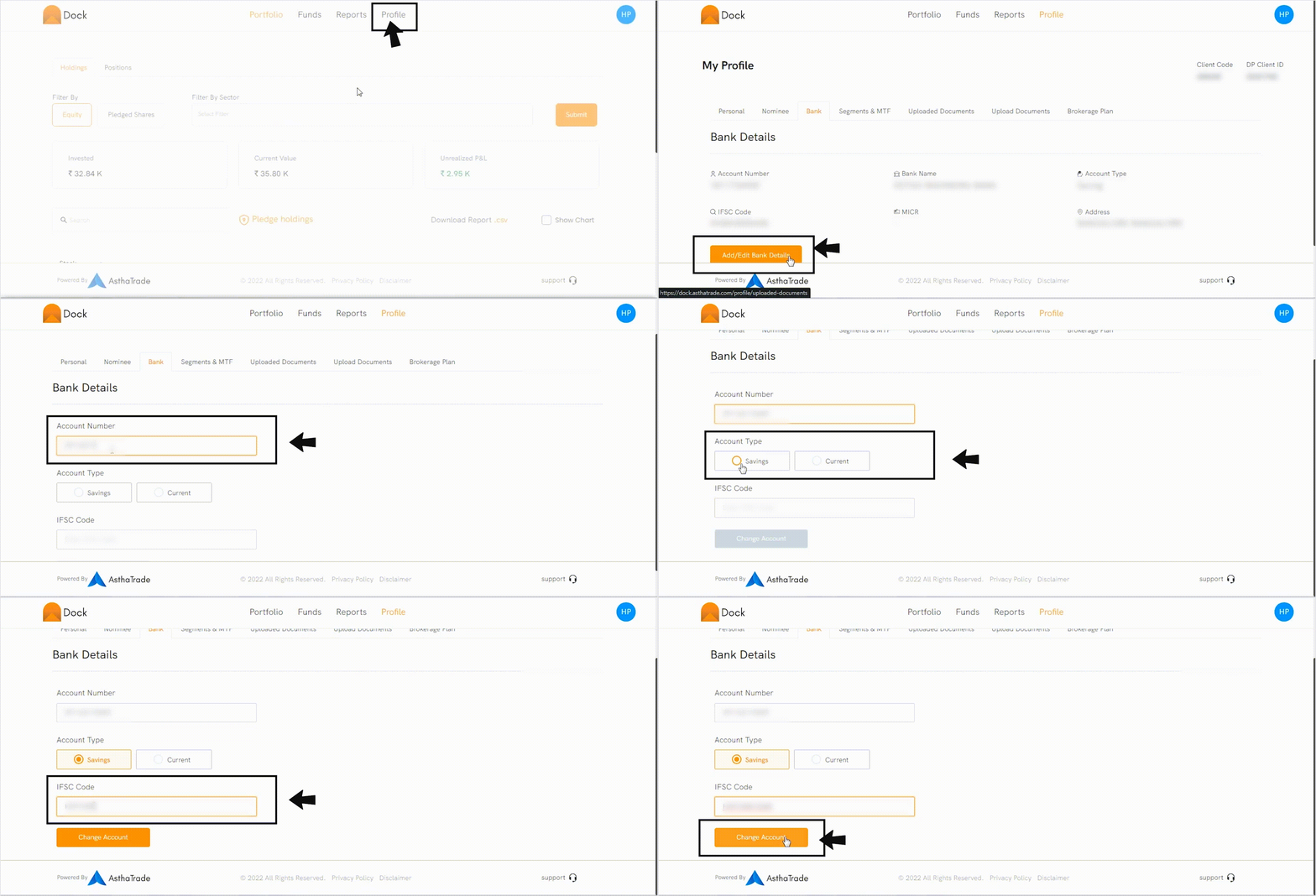
To change your bank account, follow the steps below:
- Log in to Dock.
- Go to the Profile section.
- Click on the Bank tab.
- Click Add/Edit bank details.
- Enter your account number.
- Select the Account Type — Saving or Current.
- Enter the IFSC code.
- Click on Change Account.
Follow the video for the steps:
The new bank account will be updated as the primary account for your Demat and Trading account. The dividends and other corporate action benefits for your holdings, along with your payouts, are transferred to your primary account.
For the charges, please click here.