
There are two ways to trade a weekly Nifty option contract on Rupeezy: from the Option Chain, by picking the week from the expiry dropdown, or by searching the strike price directly, which lists every CE and PE across all expiries for that strike.
Trade from the Option Chain
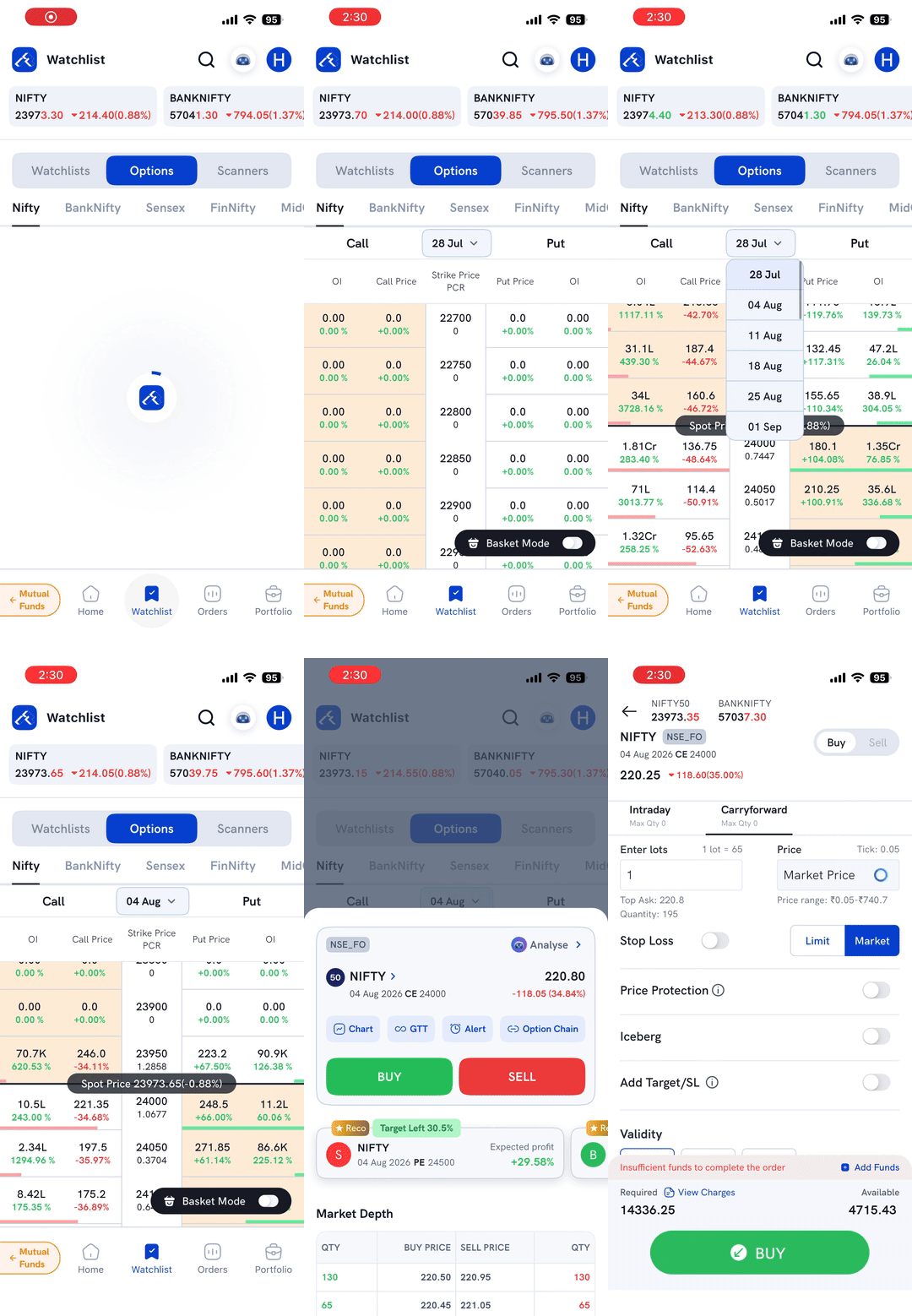
1. On Watchlist, switch to the Options tab and select Nifty — its Option Chain opens with strikes centered on the current spot price. 2. Tap the expiry dropdown (next to "Call"/"Put") and pick the week you want to trade. 3. Tap the Call or Put price for the strike you want — a quick-action sheet opens showing the contract, Chart/GTT/Alert/Option Chain shortcuts, and Buy/Sell buttons. 4. Tap Buy or Sell to open the order form, set your lots and order type, then place the order.
You can reach the same Option Chain from a stock's own detail page as well as from Watchlist.
Trade by searching the strike price
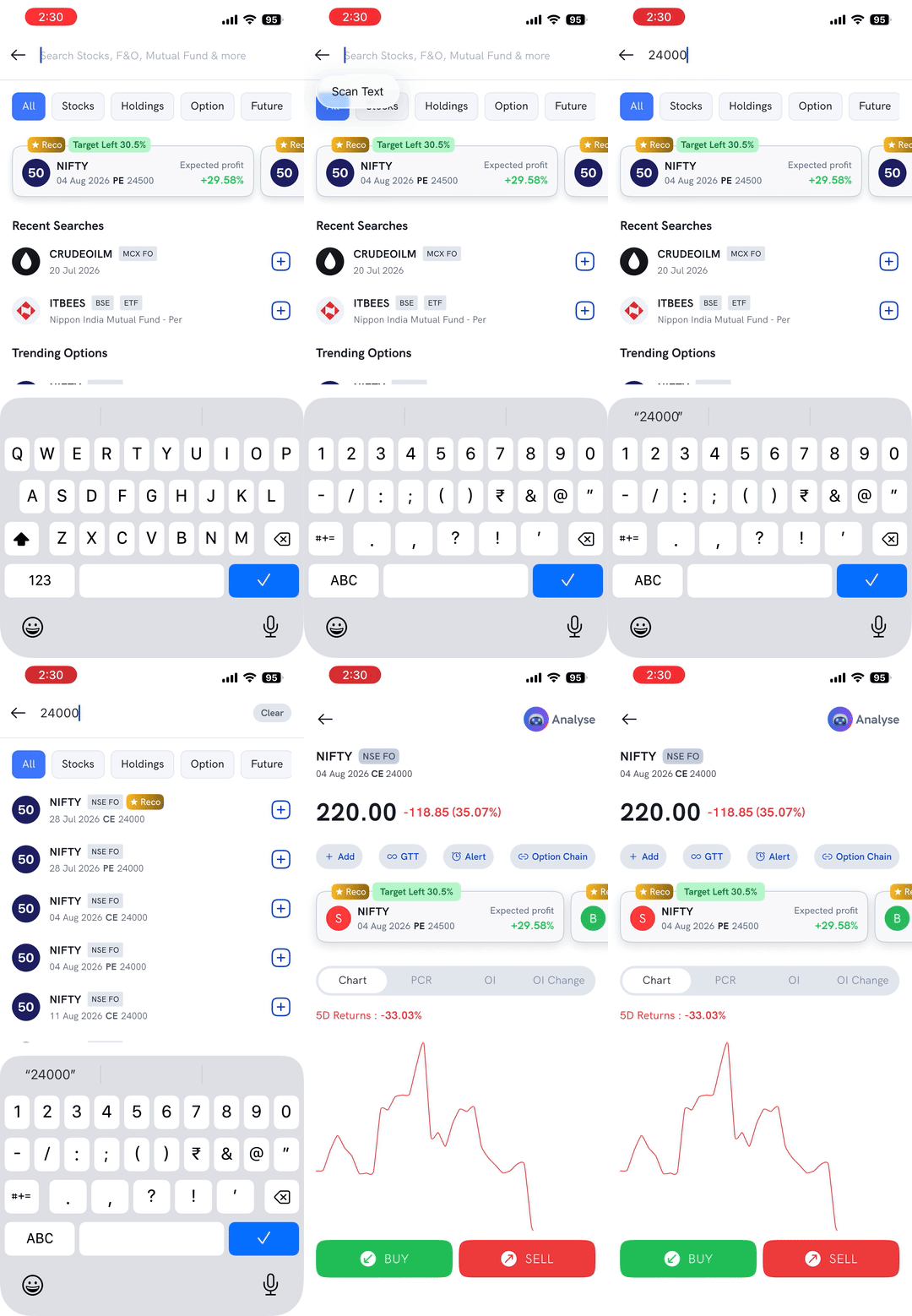
1. Tap the search icon and type the strike price (for example, 24000).
2. Every CE and PE for that strike, across all available expiries, is listed — check the expiry date and CE/PE label on each row to find the exact contract you want.
3. Tap the contract you want — its detail page opens with Chart, PCR, OI, and OI Change tabs, and Buy/Sell buttons at the bottom.
4. Tap Buy or Sell to open the order form, set your lots and order type, then place the order.
Things to keep in mind
- Searching by strike price lists the same strike across every expiry — double-check the expiry date and CE/PE label before tapping, so you don't open the wrong contract.
- Lot size and margin requirements change periodically — always check the order form for the current figures before confirming.