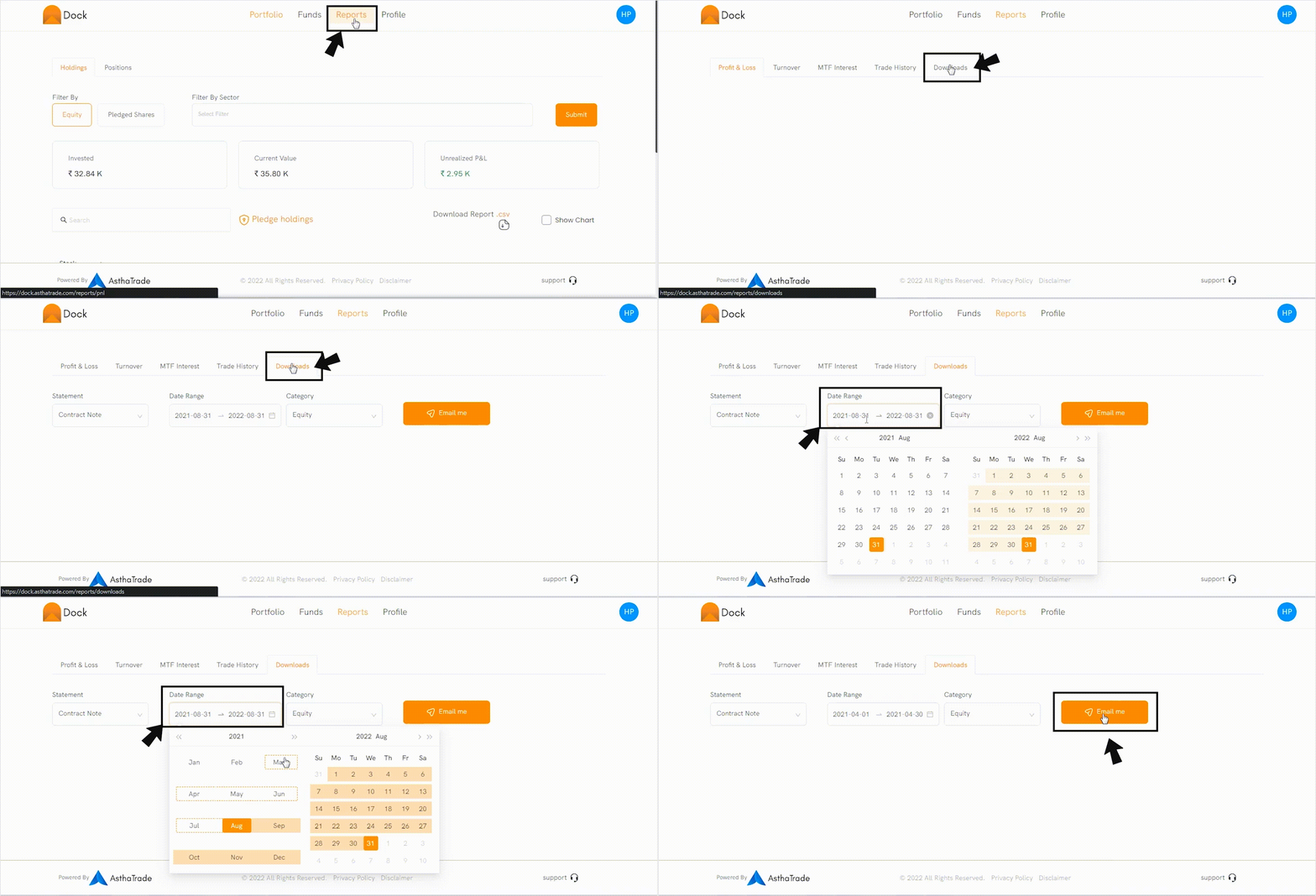
To view your Contract Note, go to Dock app.
-
Click on the ‘Reports’ tab.
-
Click on ‘Downloads’ and select ‘Contract Notes’ on Statement dropdown.
-
Select Category as ‘Equity’
-
Select the Date Range and Click ‘Email Me’
The Contract Notes will be sent to your registered email id